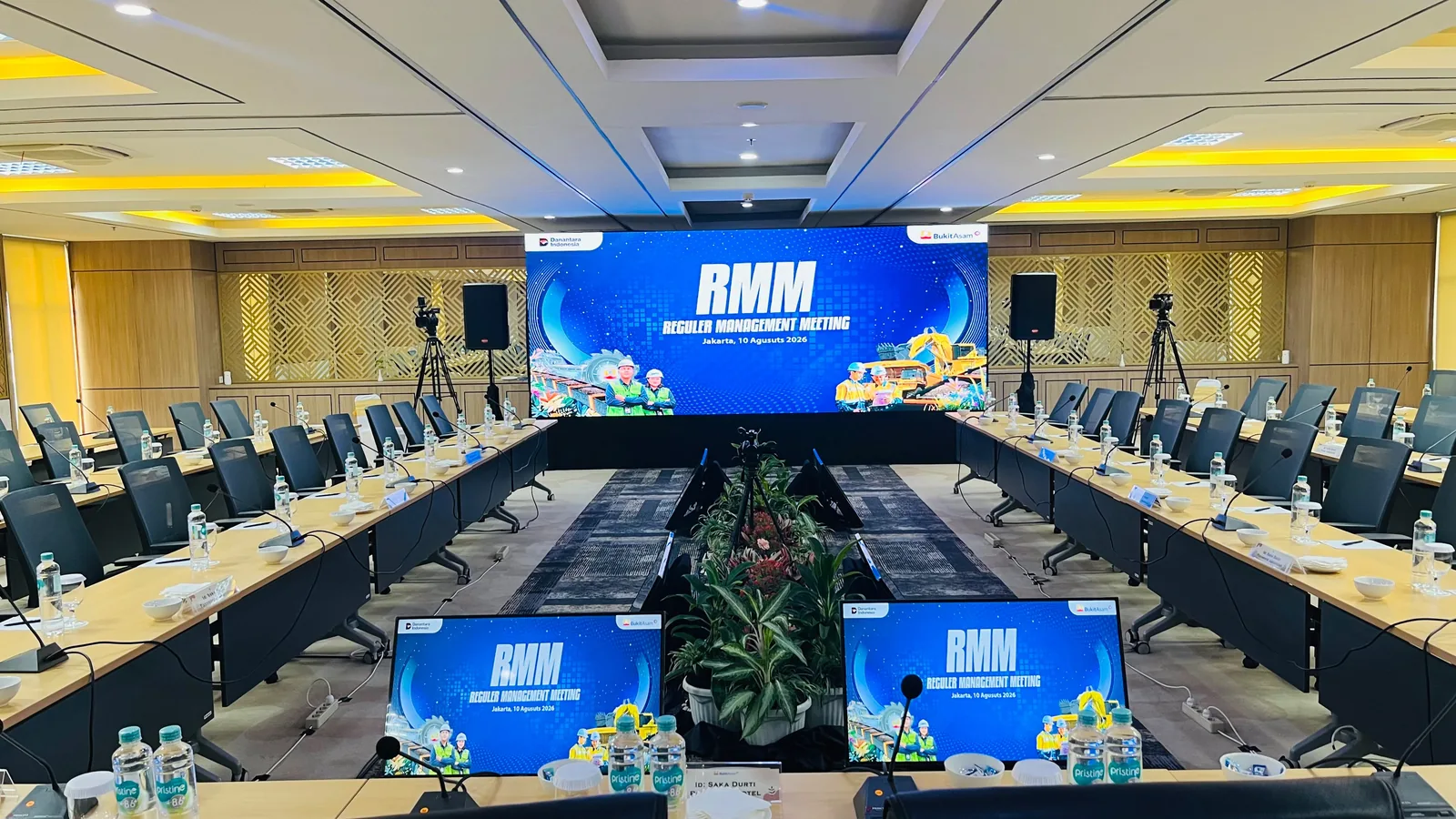
From the Bukit Asam Regular Management Meeting
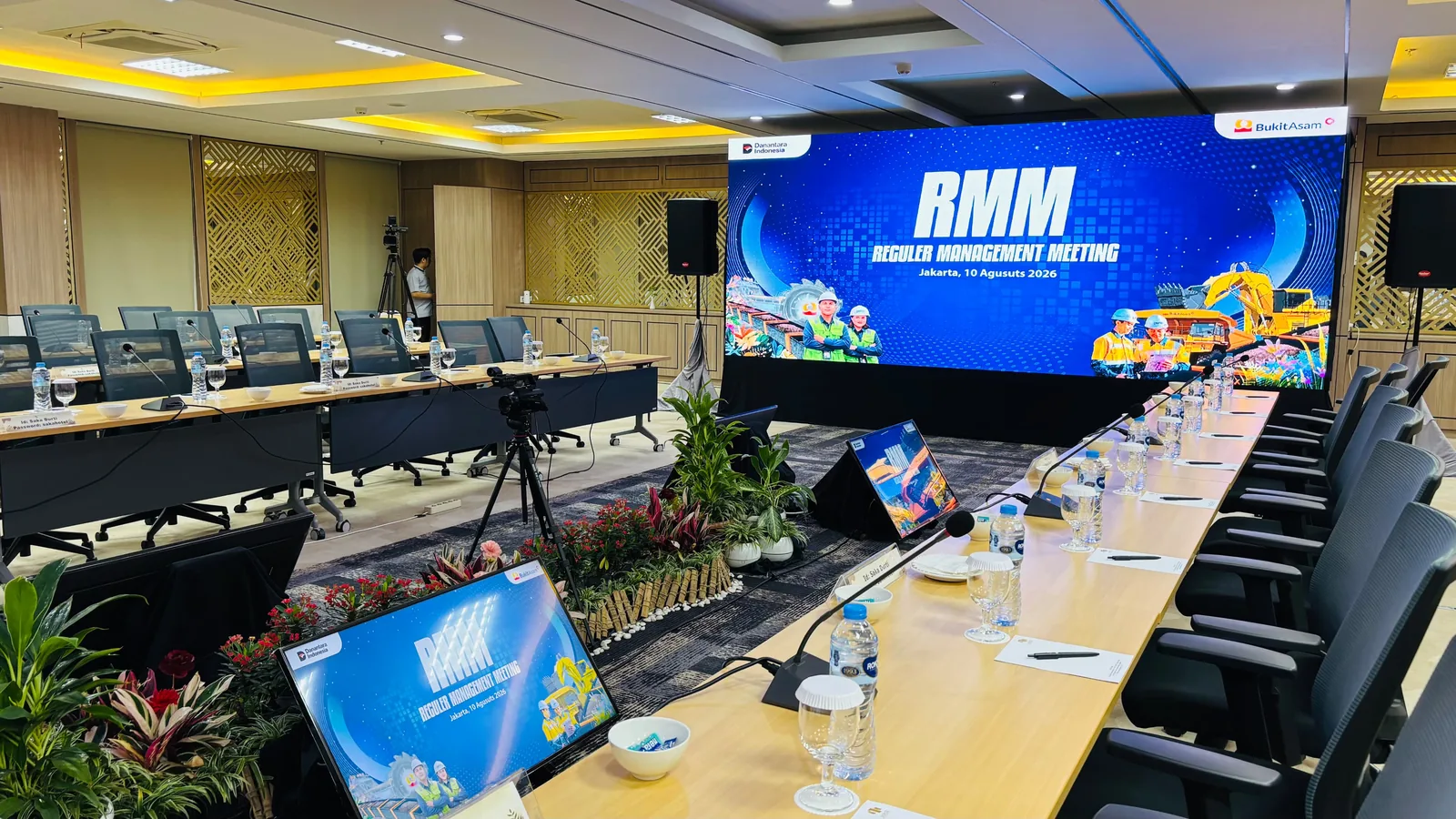
The Bukit Asam Regular Management Meeting took place in Jakarta on 10 August 2026. The project photographs show an LED screen, U-shaped meeting tables, table microphones, a speaker and a video camera in the meeting room. A U-shape lets participants see each other and discuss easily, but it calls for careful audio and display planning. The sections below summarise what to prepare for a similar meeting. This guidance also applies to board meetings or other internal working meetings.
Count microphones from the seating plan
In a management meeting, almost every participant may speak. The number of table microphones should be counted from the seating plan, not estimated. Decide whether each participant gets their own microphone or two people share one. Also note where the chair and moderator sit, and whether presentations are given from a podium or from participants' seats. This information helps determine channel count and how microphones are managed. If guests or extra participants sit behind the U, say whether they need handheld microphones.
- Number of seats on each side of the U.
- Microphone ratio: one each or shared.
- Positions of the chair, moderator and presenters.
Put the screen at the open end of the U
The LED screen usually sits at the open end of the U so all participants can see the material without turning too far. Consider the distance from the screen to the nearest and furthest seats, since slide text must be legible from both. If the meeting uses many files from several departments, set up one source point or a clear laptop changeover system so presentations are not delayed.
Plan cameras and meeting recording
A video camera in a meeting room can be used for documentation, minutes, or connecting remote participants. Decide the purpose early, as audio signal and camera position needs differ for each. If there are online participants, make sure audio from the table microphones can be sent to the meeting platform and that remote voices are heard clearly through the room speakers without echo. Test this connection at rehearsal, not at the start of the meeting.
- Camera purpose: documentation, minutes or hybrid meeting.
- Online meeting platform and the device used.
- Recording file format needed after the meeting.
Send one meeting brief the team can work from
Combine the date, venue, access times, U-shape table plan, participant numbers, agenda and microphone, screen and camera needs in one version of the brief. Separate essentials from additions still under consideration, such as recording or an online link. Princess sales prepares a quotation after these details have been discussed, so the proposal suits your meeting format. Attach the on-site contact and any venue rules document as well. If anything changes after the brief is sent, update the same document so everyone works from the latest version.